


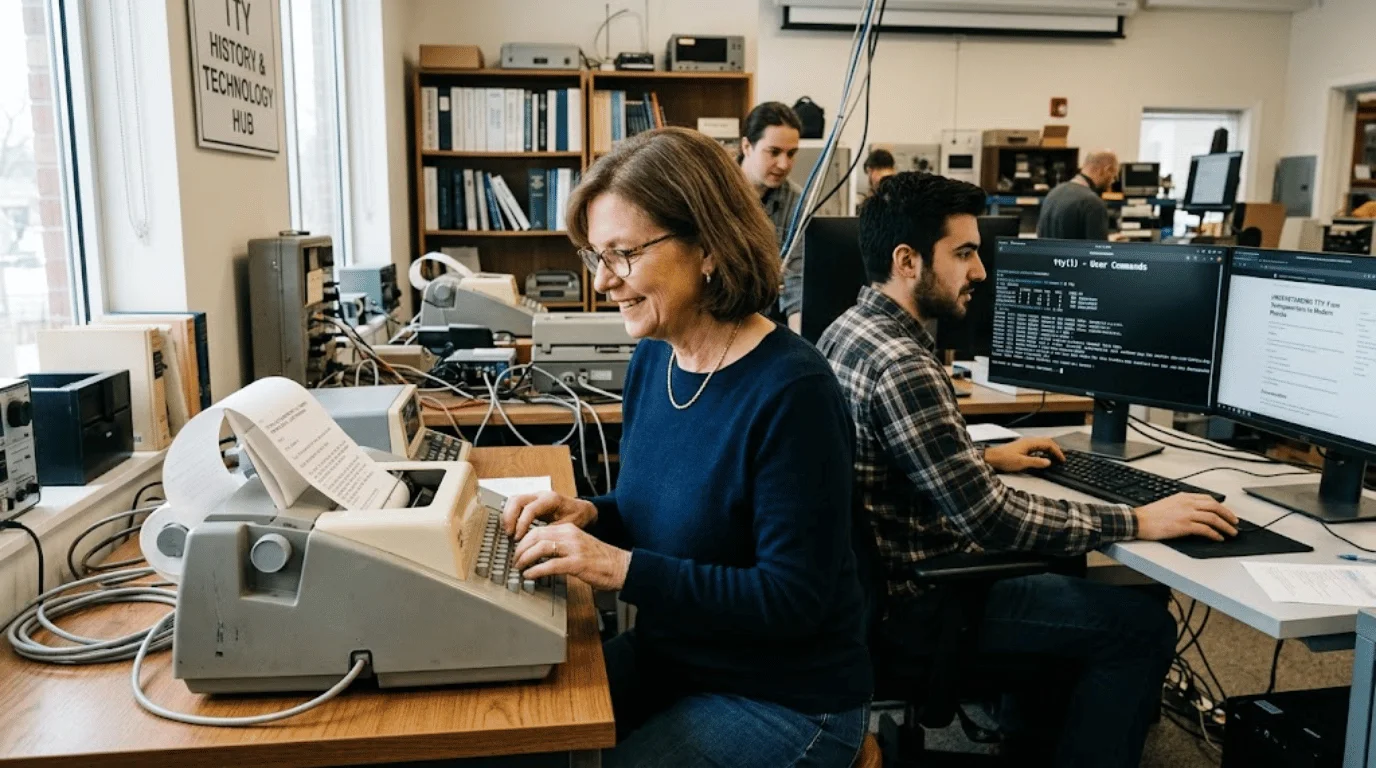
TTY can mean a teletypewriter, a phone accessibility system, or a Unix/Linux terminal. In texting, lowercase versions can also mean “talk to you.” Context determines the meaning, but technical searches usually point to terminals or accessible text calling.
The term survives because several technologies inherited the same historical label. Early teleprinters became computer terminals, while accessible calling reused text transmission over telephone networks. Modern systems kept the familiar name after screens, software, and internet-based calling replaced much older hardware.
| Context | Meaning | Practical clue |
|---|---|---|
| Phone accessibility | Teletype or text telephone | Accessibility menu, relay calls |
| Linux and Unix | Terminal device or command | Shells, SSH, and device paths |
| Texting | Talk to you | Casual chat sign-off |
| Historical hardware | Teletypewriter | Electromechanical text terminal |
What Does TTY Mean?
The original word is “teletypewriter,” an electromechanical machine that sent typed characters across a communications line. Early computer users often interacted with shared systems through machines like these. That history explains why Unix still uses old terminal language inside current operating systems.
Context separates the meanings quickly. Phone settings usually refer to accessible text calling, while Linux documentation refers to terminal devices. Casual messages usually use the lowercase slang meaning instead.
Why Phones Still Show a Teletype Setting
On a phone, the feature supports people who are deaf, hard of hearing, or have speech disabilities. It lets a compatible device exchange typed text during a telephone call. Modern smartphones may provide software support or connect to external hardware.
Google lists three text-telephone modes when real-time text is unavailable. They match different combinations of typing, speaking, hearing, and reading. The labels can vary by device and carrier.
- Full mode sends typed text in both directions.
- HCO lets you type and hear the other person’s reply.
- VCO lets you speak and read the other person’s reply as text.
Real-time text sends characters as you type and needs no extra accessory on supported devices. It can work with older text-telephone systems, depending on the network and device. Google documents these options in its Phone app accessibility settings.
In the United States, 711 provides access to telecommunications relay services. A communications assistant can relay typed text to a voice caller and type spoken replies back. FCC materials describe 711 as nationwide relay access for callers using supported telephone services.
Carrier support still matters for mobile accessibility features. Phone menus and available modes can differ by device, software version, and network. SciTechWiz’s cell phone plan comparison can help you review network features and service choices.
What the Term Means in Linux and Unix
In Linux and other Unix-like systems, tty is also a command that identifies the terminal connected to standard input. Running it in a shell usually returns a device path, such as a pseudoterminal under /dev/pts/. The current Linux command manual describes that exact behavior.
The operating system also uses terminal structures behind interactive sessions. The Linux kernel terminal documentation says this layer handles physical serial devices and virtual pseudoterminals. That design lets old terminal concepts support local sessions, remote logins, and terminal emulators.
Think of the terminal as the input-and-output channel around your command-line session. The shell interprets commands, so the two terms are related but not identical. For more command-line and platform coverage, browse SciTechWiz’s Software section.
How Terminals and PTYs Differ

A pseudoterminal, usually shortened to PTY, imitates a terminal through software. Tools such as SSH, tmux, terminal emulators, and automation programs commonly depend on that mechanism. One side acts like the terminal device, while another program controls the session.
This detail matters when scripts behave differently inside or outside an interactive terminal. A program may change colors, prompts, buffering, or input behavior when standard input is connected to a terminal. That is also why terminal detection appears in shell scripts and system tools.
What the Lowercase Version Means in Text Messages
In casual messages, the lowercase form often means “talk to you.” It usually appears when someone pauses or ends a conversation. That meaning has no technical connection to terminals or accessibility systems.
Context makes the difference easy to spot. A chat sign-off points to slang, while phone settings and technical documentation point to older technology terms. SciTechWiz’s SMS guide explains how ordinary carrier texting differs from newer messaging systems.
Should You Turn the Phone Setting On?
Most users do not need the legacy setting unless they use compatible accessibility services or equipment. Leaving it off does not disable ordinary texting, messaging apps, or standard voice calls. If you rely on accessible calling, check your carrier and device instructions before changing it.
Apple says supported iPhones can use compatible teletype equipment when carriers support the feature. Google says Android phone options vary, with real-time text preferred on supported devices. Review Apple’s iPhone accessibility note and Google’s current call settings before changing anything.
Why the Term Still Survives
Technology keeps old names when software must remain compatible with earlier ideas and interfaces. That is why terminal files still carry historical names even though the hardware changed decades ago. Accessibility systems also preserve familiar terminology while newer real-time text becomes more common.
The shared history can confuse anyone seeing the same three letters in unrelated places. Once you identify the setting, app, or operating system, the meaning becomes much clearer. That context-first approach is the simplest way to interpret the term correctly.
Frequently Asked Questions
What does TTY mean on a phone?
On a phone, it refers to teletype or text-telephone accessibility for calls. It helps compatible users exchange typed text over telephone services. Newer devices may offer real-time text as a more modern option.
Is the phone feature the same as RTT?
Not exactly, because real-time text is a newer protocol designed for modern networks. It can send characters while you type without requiring separate legacy hardware. Older text-telephone systems can still remain useful where networks and devices support them.
What does “not a terminal” mean in Linux?
That message usually means standard input is not attached to an interactive terminal. It often appears inside scripts, pipes, background jobs, or redirected input. The result can help a program decide whether interactive behavior makes sense.
Does the phone feature affect normal text messages?
No, the setting is separate from ordinary SMS, RCS, and app messages. It relates to accessible calling, not routine text messaging. Turning it off does not block normal message delivery.
What is 711 used for in the United States?
In the United States, 711 connects callers to telecommunications relay services. Both voice users and people using supported relay methods can initiate a relay call. The service helps bridge text and voice communication through a communications assistant.
The Practical Takeaway
If you found the term in a phone menu, start with your device and carrier accessibility documentation. If you found it in Linux, treat it as terminal terminology with roots in early teleprinters. For more plain-English technology explainers, continue through SciTechWiz’s Technology section.