

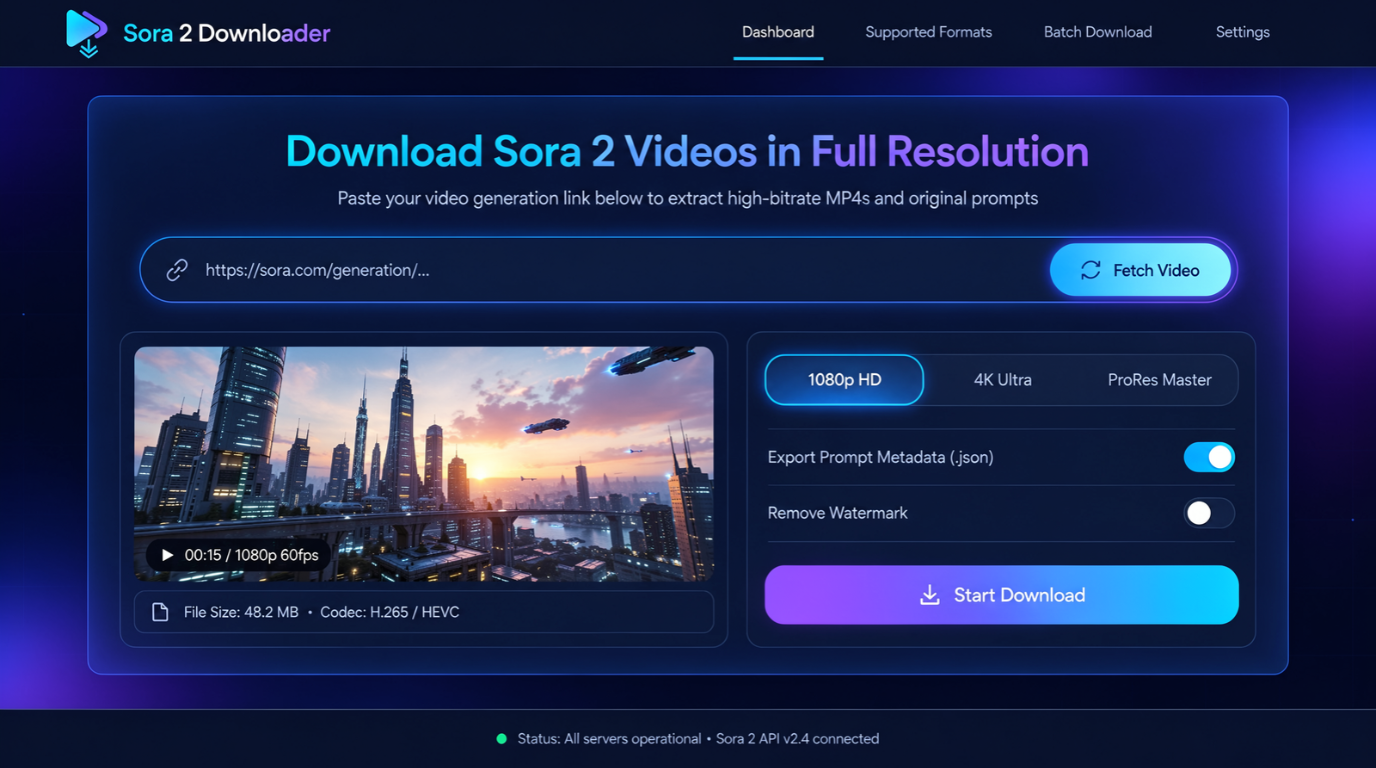
A Sora 2 video downloader can help save clips you created or have permission to use. However, the situation changed substantially during 2026. OpenAI states that the consumer Sora product stopped being available on April 26, 2026. That shutdown means many older tutorials and downloader pages may no longer work as described. Some third-party tools still advertise support for old links, saved media, or browser-based downloads. You should treat those claims cautiously and protect your files, accounts, and usage rights. Quick answer: In 2026, downloading an existing Sora clip depends on where that video is still hosted. Use an official export or an existing local copy whenever possible. Third-party downloaders may handle accessible links, but availability varies, and you should never provide account passwords to an unknown service.
| Question | Current answer |
|---|---|
| Is the original consumer Sora service still available? | OpenAI says it ended April 26, 2026 |
| Can old Sora videos still exist online? | Yes, archived copies and reuploads can remain available |
| Can third-party downloaders still work? | Sometimes, depending on the source link and service |
| Should you enter your OpenAI password into a downloader? | No |
| Can a download contain a visible watermark? | Yes, many original consumer exports used visible watermarks |
| Does removing a watermark give reuse rights? | No |
| Best format for saving video | Usually the original MP4 when available |
| Best first choice | Your own original export or backup |
What Changed With Sora Downloads in 2026?
OpenAI launched its newer video experience with safeguards designed to identify AI-generated material. The company described visible watermarks and C2PA provenance information as important parts of those protections. It also used internal systems to help trace generated video and audio. The more important change came later. OpenAI’s current Sora pages say the consumer product is no longer available. That makes older advice about opening the app and pressing Download outdated for many users. Existing clips have not disappeared from every computer, website, archive, or social account. A creator may still have an original MP4 on a phone or drive. Reposted clips can also remain online long after the original generation service closes.
How to Use a Sora 2 Video Downloader Safely
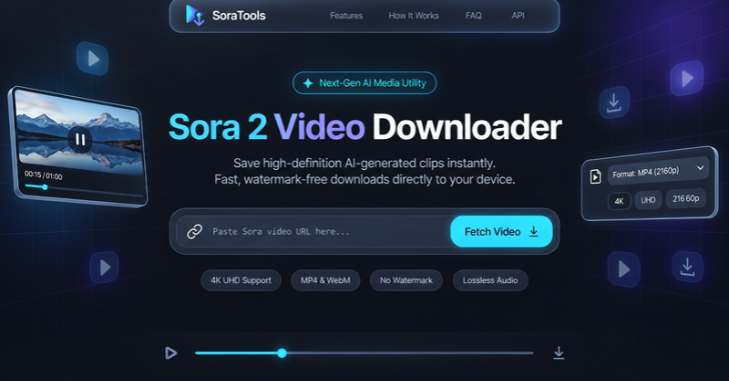
Sora 2 Video Downloader Before using any downloader, confirm that you own the clip or have permission to save it. A working download button does not establish copyright ownership. It also does not give you permission to reuse another creator’s work commercially. You should also choose the least risky method available. An original file stored on your device is preferable to an unknown conversion website. A trustworthy download should not require your OpenAI password, recovery code, or unrelated browser permissions.
What You’ll Need
Gather these items first.
* The accessible video page or source link. * Permission to download and use the video. * Enough free storage on your phone or computer. * A modern browser with current security updates. * Antivirus or built-in operating system security. * A destination folder for downloaded files.
Video files can consume storage quickly as resolution and bitrate increase. SciTechWiz’s guide to terabyte storage explains how video size affects available capacity. Check free space before saving a large collection.
Steps to Save an Accessible Video
1. Confirm the source. Open the video from the original page, archive, or account where you can legally access it. 2. Look for a native download option. Use an official or built-in download control when one remains available. 3. Copy the share link if needed. Avoid shortened or suspicious links from unknown messages. 4. Open a downloader you trust. Check its reputation, permissions, privacy claims, and recent activity first. 5. Paste only the public media link. Never submit your account password or authentication codes. 6. Choose the original quality when available. Avoid unnecessary conversion if you want to preserve the source file. 7. Download and scan the file. Confirm the extension and run your normal security checks. 8. Play the saved copy locally. Check the picture, audio, duration, and file size before deleting another backup.
This workflow reduces unnecessary processing and account exposure. It also gives you a chance to catch broken or misleading downloads. Keep the original file when you plan to edit or archive the clip.
Which Download Method Makes the Most Sense?
Different methods solve different problems. Your own exported file is usually the safest choice. Browser extensions and online tools add convenience, but they also introduce additional trust decisions.
| Method | Best for | Main advantage | Main concern |
|---|---|---|---|
| Existing original export | Your own clips | No extra processing | You must already have the file |
| Native page download | Accessible authorized videos | Simple workflow | May no longer be available |
| Browser extension | Repeated downloads | Convenient controls | Extension permissions |
| Online link downloader | Occasional public links | No installation | Privacy and reliability |
| Screen recording | Last-resort personal copy | Works without direct file access | Lower quality and possible rights issues |
Several Chrome extensions previously advertised Sora downloading and batch-export features. For example, SaveSora advertised original-quality downloads and batch exporting before the service shutdown. Its Chrome Web Store listing also states that users remain responsible for legal usage. That history does not prove a downloader works with every link today. Tools built around retired endpoints can stop functioning without warning. Check recent reviews and the tool’s update date before installing anything.
Are Sora Downloader Websites Safe?
A downloader is not automatically malicious because it processes media links. Still, you should treat unknown download sites like any other untrusted web service. Check what information the service requests before submitting anything. Avoid services that demand passwords, browser cookies, recovery codes, or payment card information for a supposedly free download. Be cautious when a site forces extra software installations. Unexpected browser notifications and repeated redirects are also warning signs. Browser extensions deserve similar scrutiny. Read the permissions before installing one. An extension that needs access to unrelated websites deserves more investigation than one limited to a specific media page.
What About Sora Watermarks?
Original Sora outputs often included provenance measures designed to identify generated material. OpenAI described visible moving watermarks for consumer downloads and C2PA information for generated assets. These signals were intended to improve transparency around AI-generated content. Some third-party products advertise downloads without a visible watermark. That feature does not determine whether you have permission to reuse the underlying video. Copyright, consent, licensing, and platform rules remain separate questions. Removing an identifying mark can also create misleading context. This matters when a realistic clip might be mistaken for authentic footage. Keeping clear AI attribution can help viewers understand what they are seeing.
How to Preserve the Best Video Quality
Choose the original media file whenever you can. Repeated conversion can lower bitrate, introduce compression artifacts, or change audio quality. Downloading and re-encoding are different operations. Resolution matters, but it is not the only quality factor. Bitrate, codec, frame rate, and source compression also affect the final picture. SciTechWiz’s QHD resolution guide explains why resolution alone does not define visual quality. You should also avoid converting a file merely to change its extension. A genuine format conversion requires software to process the media data. Similar principles apply to images, as explained in SciTechWiz’s HEIC format guide.
Why a Downloader May Stop Working
The most obvious reason is the Sora shutdown itself. A downloader may depend on an API, media endpoint, authentication system, or page structure that no longer exists. Old tutorials can remain indexed after their technical method has stopped working. Links can also expire or become private. A creator may delete the original post or change access permissions. Cached thumbnails do not guarantee that the original downloadable video remains available. Third-party services can fail for their own reasons too. Their servers may be offline, rate-limited, abandoned, or blocked by browser changes. Trying several unknown sites can create more security risk without solving the original problem.
Can You Download Someone Else’s Sora Video?
Technical access and legal permission are different things. A public video can still have an owner and usage restrictions. Saving it for offline viewing does not automatically authorize reposting, advertising, or resale. Get permission when you want to reuse another person’s creation. Keep records when commercial rights matter. This becomes especially important when a clip contains recognizable people, brands, music, or protected creative material. For your own work, maintain a local backup instead of depending on a social post forever. Storage planning becomes more important as video collections grow. The SciTechWiz 1 TB storage explainer can help estimate space for larger archives.
The Bottom Line
Saving an existing Sora clip in 2026 requires more care than older tutorials suggest. The original consumer service has ended, so many previous download workflows are outdated. Your safest option remains an original export, local backup, or authorized source file. Use third-party tools only after checking their permissions and recent activity. Never provide passwords or account recovery information to a downloader. Most importantly, download and reuse videos only when you have the rights to do so.
Frequently Asked Questions
Does a Sora 2 video downloader still work in 2026?
Some tools may still process accessible video files, archived pages, or supported links. However, compatibility is less predictable after the original consumer service shutdown. Check recent tool updates instead of relying on older tutorials.
Is Sora still available in the United States?
OpenAI’s current pages state that the consumer Sora product is no longer available. The company marks April 26, 2026 as the end of that product. This applies regardless of its earlier U.S. rollout.
Can I download an old video without losing quality?
Yes, if you can obtain the original media file without re-encoding. A downloader that retrieves the source file should preserve existing quality more reliably. A converter may change bitrate, codec, resolution, or audio settings.
Is it safe to paste a video link into a downloader?
A public video link is less sensitive than an account password. Still, the website can record information you submit and collect standard connection data. Review the service before using it with private or confidential material.
Can I remove the Sora watermark?
Editing software can technically crop, cover, or modify visible marks. That does not grant ownership or change the video’s origin. Avoid removing provenance when doing so could mislead viewers or violate applicable terms.
What should I do with old Sora videos I already saved?
Keep at least one original copy before editing or converting anything. Organize files with useful names and back them up to another drive or trusted storage service. Preserve prompts or project notes when they matter to future editing.